The left-navigation “Tools” item (visible to the Tenant Admin; the Manager’s navigation has no “Tools” item). The Tools page has two functional areas:
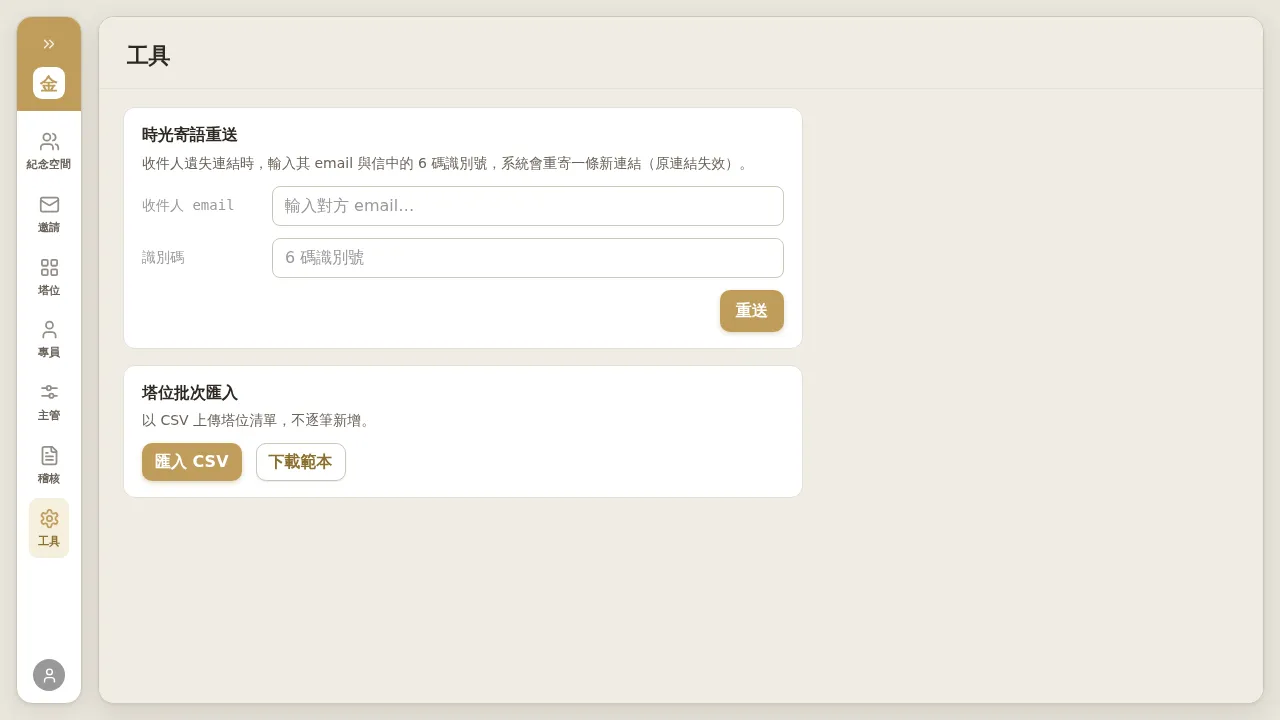 Figure 7-1 Tools page: “Resend Time Letter” above, “Bulk Niche Import” below (including Download Template).
7.1 Resending Time Letters
When a Time Letter’s recipient has lost the link:
- In “Resend Time Letter”, enter the recipient’s email and the 6-digit identifier from the email.
- Click “Resend”. The system resends a new link, the original link becomes invalid, and a new 100-day validity period begins.
Notes / Known Limitations
- Resending rotates the identifier: the new email carries a new 6-digit identifier, and the old code becomes invalid. So always use the identifier from the most recent email; if the recipient brings the code from an old email, the resend will fail.
- If you enter the wrong identifier, the screen only returns the generic “Resend failed, please try again later” without stating the reason (this is deliberate privacy design). Confirm you are using the code from the most recent email.
- Resending Time Letters is available to both Account Managers and Tenant Admins; Bulk Niche Import is Tenant Admin only.
7.2 Bulk Niche Import
Same as Section 3.1. Bulk-import / update the niche list via CSV (Tenant Admin only); you can “Download Template” before importing.