The Account Manager account is activated via an invitation email from the Tenant Admin or a Manager; you cannot register yourself.
- Receive the invitation email and click the activation link in it (
.../activate?token=...). - Fill in your name and password (at least 8 characters, including both letters and numbers), and complete email verification.
- After activation you are logged in automatically and taken to the “Memorial Spaces” list of the business back office.
- On later visits: go to the login URL and log in with email + password.
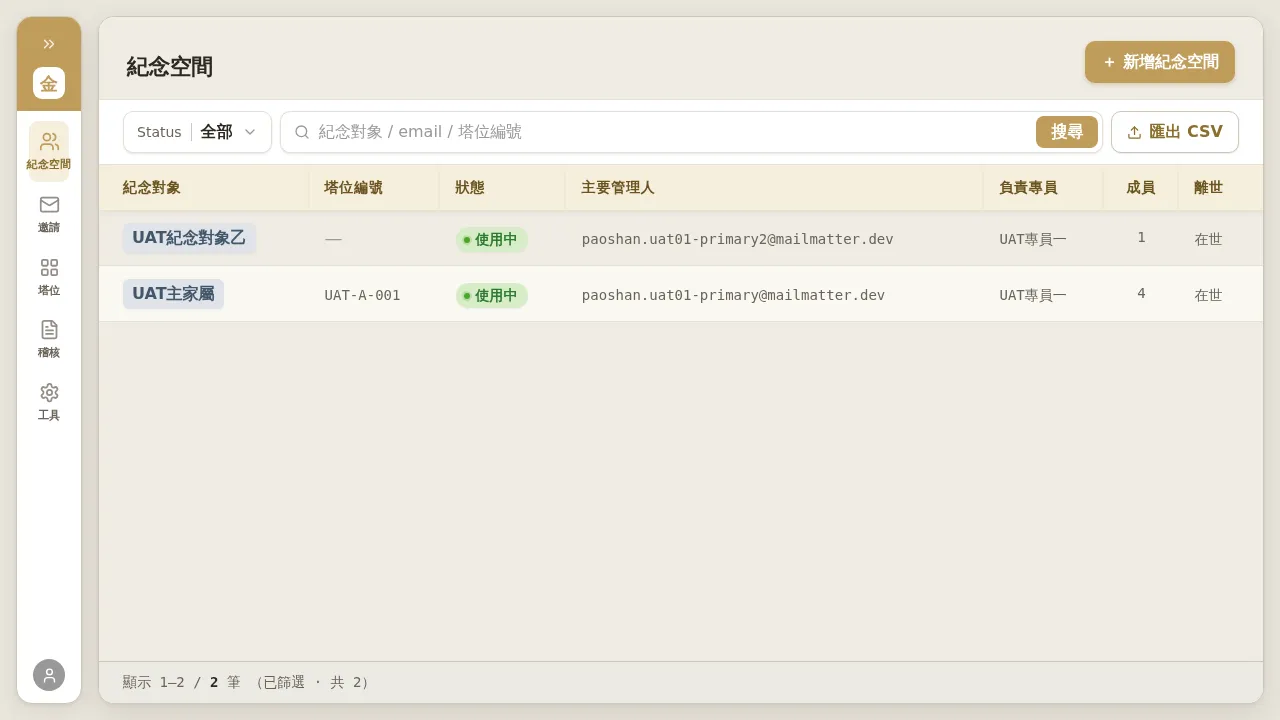 Figure 1-1: The “Memorial Spaces” list after an Account Manager logs in — it shows only the memorial spaces they are responsible for (no “Account Manager scope” switch). At the top you can filter by Status and search (memorialized subject / email / niche number), and export CSV in the top right.
Notes
- Passwords can be reset, with no “old password reuse prohibited” restriction; if you forget your password, use “Forgot Password” on the login page to receive a 6-digit code by email to reset it.
- If the activation link has expired, contact the Manager or Tenant Admin who invited you to resend it.
- When you are set as a delegate (effective 2026-07-23): if your Manager sets you as the delegate for another Account Manager, your “Memorial Spaces” list will additionally show the clients under the delegated Account Manager, which you can open and manage directly; on those rows, “Responsible Account Manager” still shows the original Account Manager (ownership unchanged). The list has no “delegating” marker; confirm the delegation scope with your Manager.