The left-navigation “Audit” item. The Tenant Admin’s audit scope is the entire enterprise (an Account Manager sees only their own; a Manager sees their team; scope is enforced by the backend).
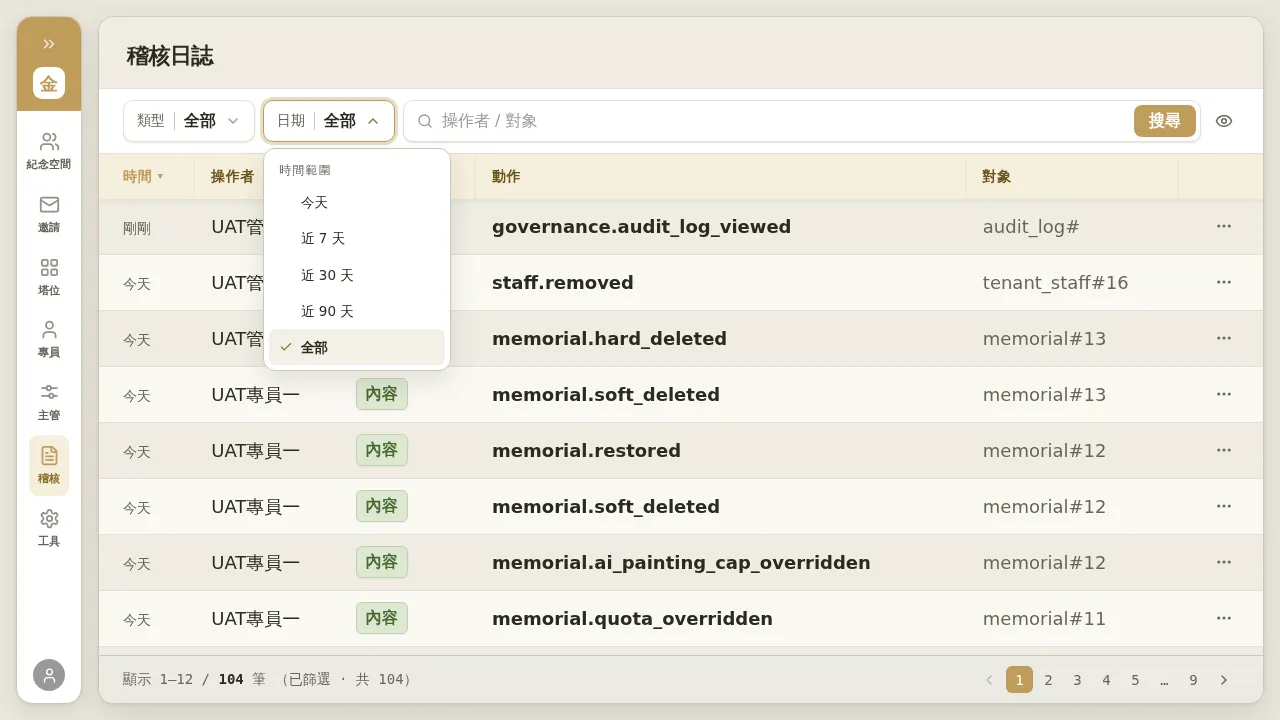 Figure 6-1 Audit log: columns are Time / Actor / Type / Action / Target; at the top you can filter by “Type”, “Date (today / last 7 days / last 30 days / last 90 days / all)”, and search by “Actor / Target”.
- Actions are shown as event codes, e.g.
staff.removed,memorial.soft_deleted,memorial.restored,memorial.hard_deleted,memorial.quota_overridden,memorial.ai_painting_cap_overridden,governance.audit_log_viewed, etc. - Events are split into “Governance” (operations by business staff) and “Content” (edits / deletions by families within memorial spaces), distinguished by a tag on the row.
- Click any row to expand the detail drawer and see that event’s metadata.
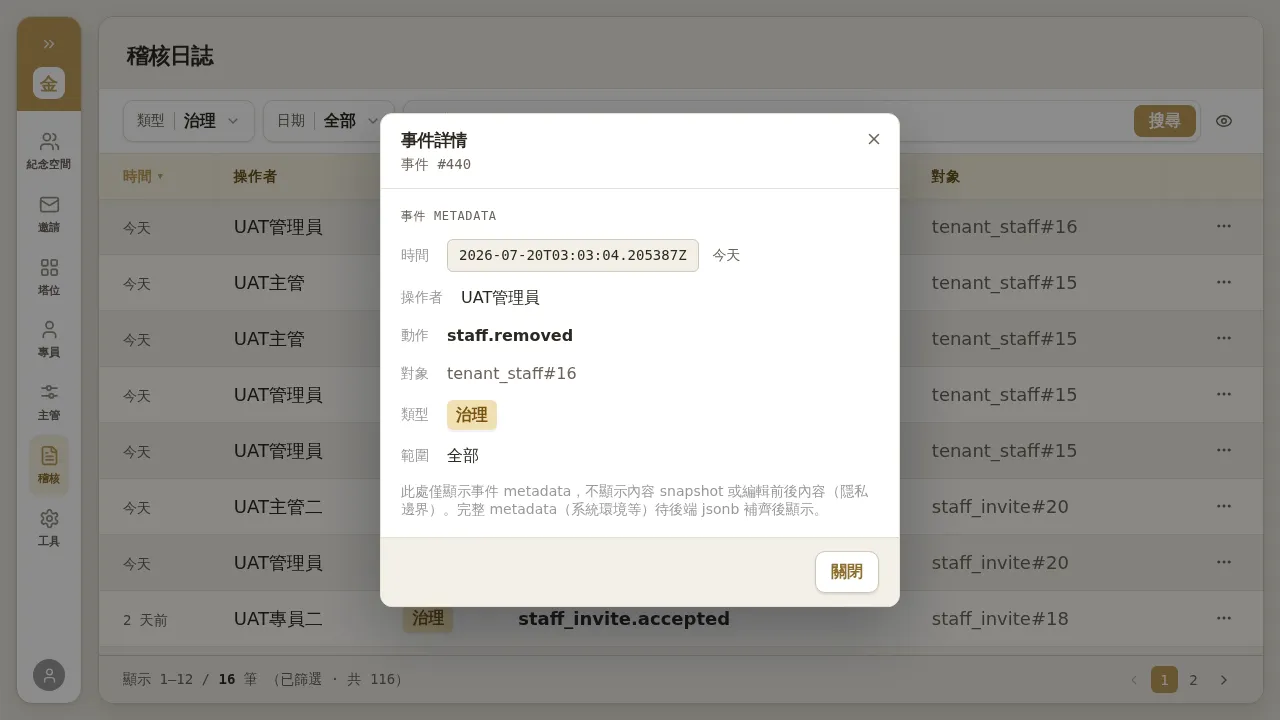 Figure 6-2 Audit detail: shows only metadata (who / when / what type of action / target), not before-and-after snapshots of family content.
Notes / Known Limitations
- The audit has only metadata, no content snapshots. Even for “content events” (family edits / deletions), you cannot see the actual content before and after the edit—this is a deliberate privacy boundary (family content is not accessible to business staff). To trace specific content history (disputes / restoration requests), you must go through the database-layer process of engineering / customer service.
- The audit scope is divided by “actor” (actor-based), not by “target”. That is, an Account Manager sees in their own audit only “what they themselves did”; operations others (e.g. the Tenant Admin) performed on memorial spaces under their name will not appear in their audit. To see the full picture, use the Tenant Admin identity to query the entire-enterprise scope.
- Each time the audit page is opened, a
governance.audit_log_viewedevent is itself written, so the total count increases with each view; this is normal.