Invitations have two entry points; be clear about the distinction first:
- Primary Manager invitations → handle resend / change email / revoke on the “Invitations” page (
Memorial Space Invitation Management). - Viewers / Co-Editors (inviting members on behalf) → handle in place in the members area of that memorial space’s detail page.
3.1 Primary Manager Invitations: Resend / Change Email / Revoke
Go to the left-navigation “Invitations” page, use the “type / status” filter to find the target invitation, and that row’s “⋯” offers:
- Resend: regenerate the link and send it; the old link expires automatically (for the same email, the latest invitation prevails).
- Change Recipient Email: correct a mistyped recipient email.
- Revoke: void the invitation.
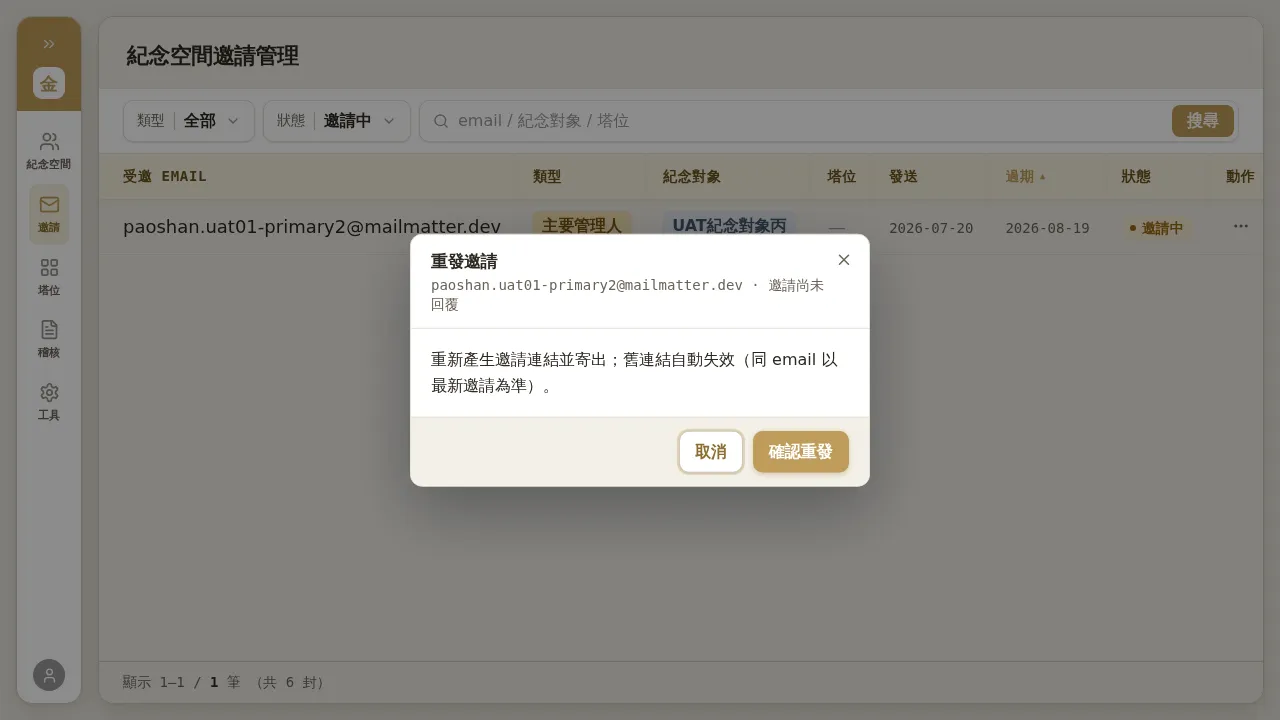 Figure 3-1: Resend invitation — “Regenerate the invitation link and send it; the old link expires automatically (for the same email, the latest invitation prevails).”
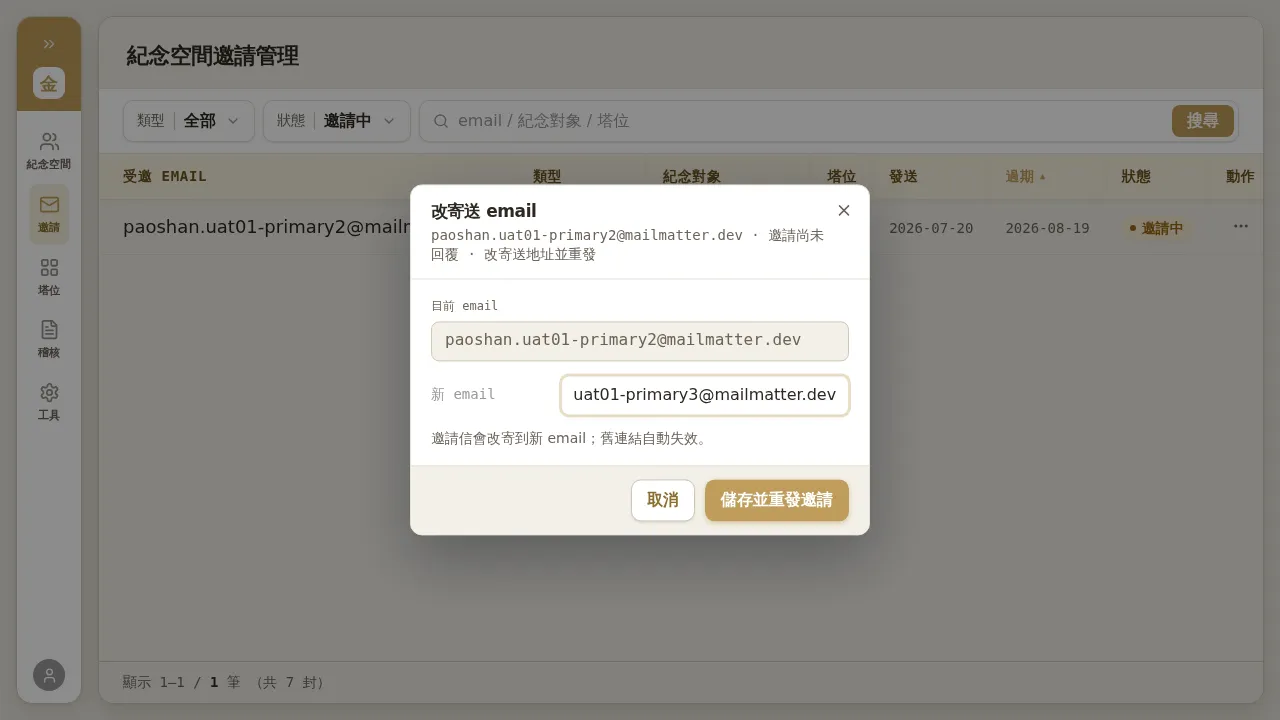 Figure 3-2: Change recipient email — correct the recipient address of the Primary Manager invitation and resend.
Notes (entry-point difference, findings #43)
- In the member list on the memorial space detail page, the “⋯” of the “Primary Manager” row only offers “Involuntary Transfer”; to resend / change email / revoke a Primary Manager invitation, you must do it on the “Invitations” page (not the detail page).
- Viewers / Co-Editors are the opposite for pending invitations — you can resend / revoke them in place in the members area of the detail page (see 3.2).
- After being revoked or replaced by a new link, an old link, when opened, always shows “Invitation revoked”, without distinguishing the reason.
3.2 Inviting Members on Behalf (Co-Editor / Viewer)
When the family-facing flow is stuck and you need to send member invitations on their behalf:
- Go to that memorial space’s detail page, scroll to the “Members” area, and click “+ Invite Co-Editor / Viewer on Behalf”.
- Fill in the invitee’s email, choose the role (Co-Editor / Viewer), and submit.
- Pending members are listed in the members area, where you can resend / revoke in place on that row.
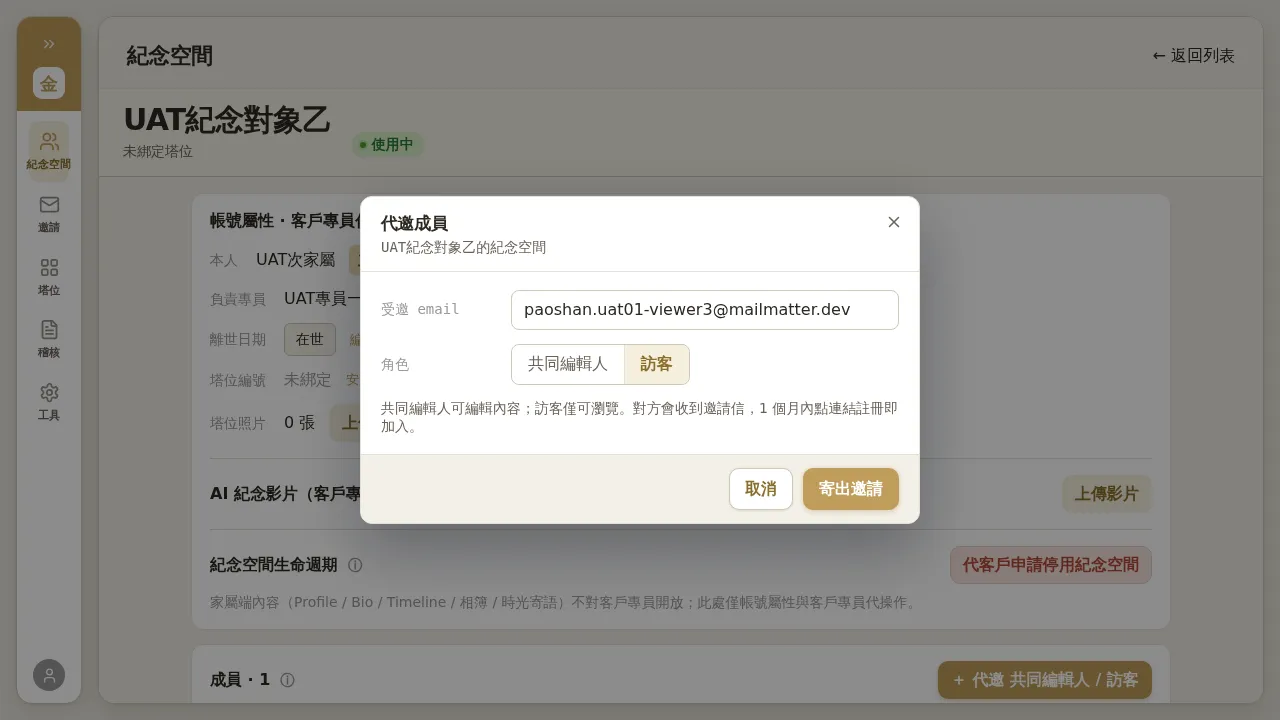 Figure 3-3: Inviting a Co-Editor / Viewer on behalf from the members area of the memorial space detail page. After submitting, the entry appears in the member list as “Inviting”, where you can resend or revoke in place.