The Tenant Admin can invite two team roles:
- Manager: oversees the Account Managers beneath them, and can also do the work of an Account Manager. Only the Tenant Admin can create a Manager.
- Account Manager: the front-line business staff who manage their own clients’ memorial spaces. Both Tenant Admins and Managers can create Account Managers.
Inviting a Manager
- From the left navigation, go to “Managers” (Manager management, Tenant Admin only).
- Click “+ Create New Manager” in the top right.
- In the dialog, enter the invitee’s email and click “Create and Send Invitation”. The system sends an activation invitation email.
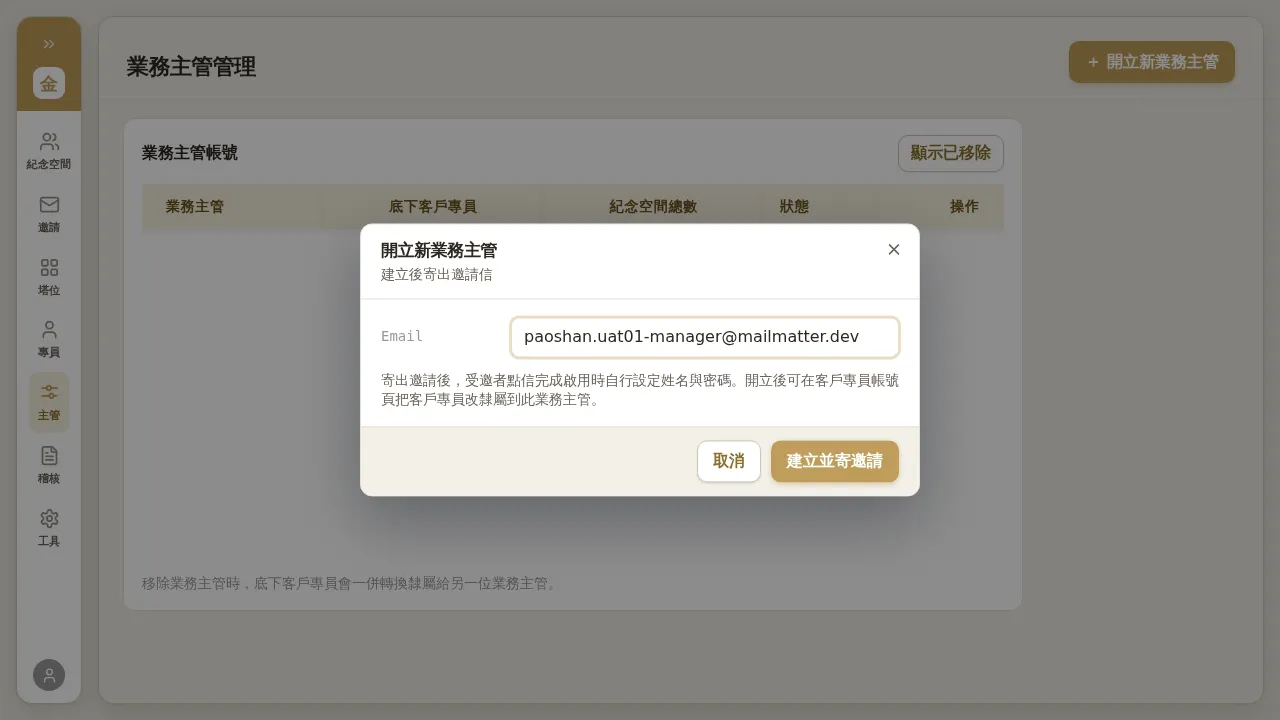 Figure 2-1 Creating a Manager: only an email is needed; the invitee sets their own name and password when they activate via the email. A note at the bottom of the page reads “When a Manager is removed, their Account Managers will be reassigned together to another Manager.”
Inviting an Account Manager (and Assigning Their Manager)
- From the left navigation, go to “Account Managers” (Account Manager management).
- Click “+ Create New Account Manager” in the top right.
- Enter the invitee’s email, and you may assign the Manager they report to (every Account Manager must report to a Manager).
- Click Create and Send Invitation.
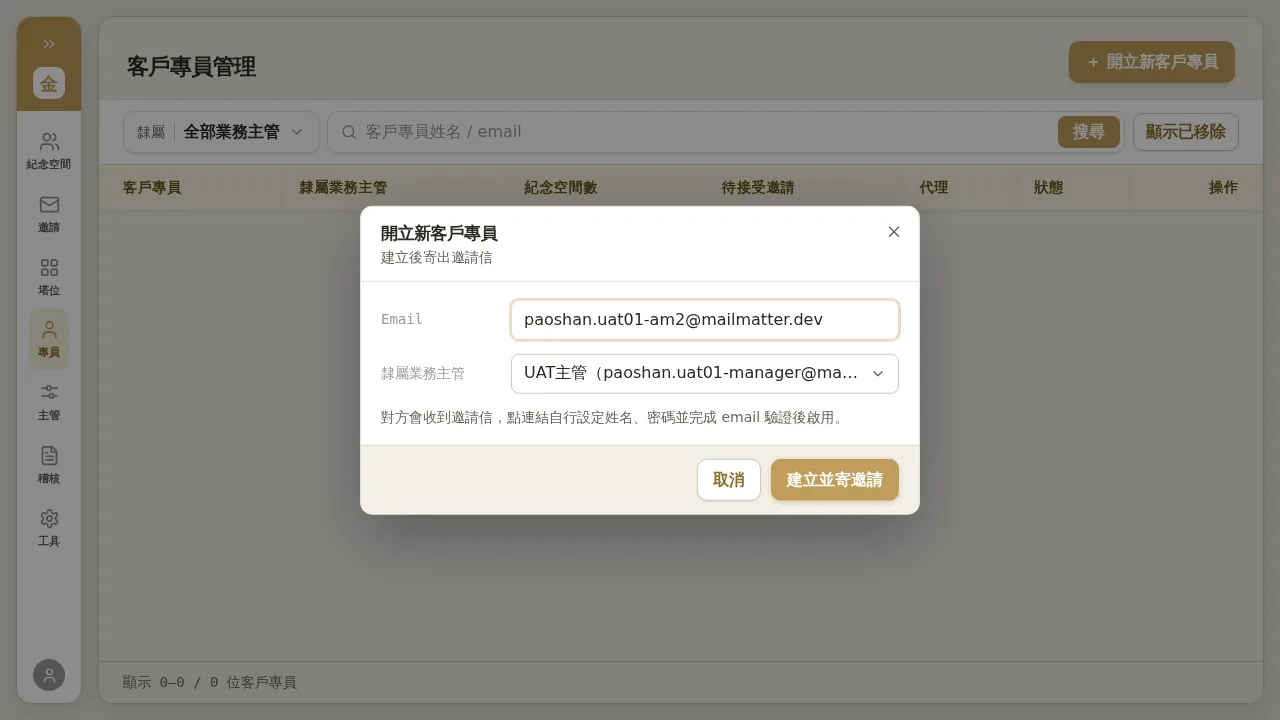 Figure 2-2 Creating an Account Manager: you can assign the Manager they report to at creation time.
Pending, Resending, and Revoking
- After an invitation is sent, before the invitee activates, it appears in the roster with a “Inviting / Pending” status.
- For a pending invitation you can resend (send a new link; the old link expires automatically) or revoke it.
- After the invitee clicks the email and sets their name and password, the status changes to “Active”.
Hierarchy Rules (Who Can Invite Whom)
| Inviter | Can create Manager | Can create Account Manager |
|---|---|---|
| Tenant Admin | ✅ | ✅ |
| Manager | ❌ | ✅ (reports to themselves after creation) |
| Account Manager | ❌ | ❌ |
Notes / Known Limitations
- The invitation dialog has no name field—the name is filled in by the invitee at activation; you only need to provide an email.
- Staff invitation email subject lines occasionally have minor flaws (e.g. missing words, role wording differing from the interface). This does not affect activation; if the recipient has questions, explain the role mapping.
- The “Showing N” count at the bottom of the roster does not include “Inviting” rows. To confirm the actual pending invitations, look at the roster rows directly rather than the bottom count.